Google for Businesses
Make it easier for genuine customers to review your business without searching for your Google profile. TrustNinja helps you turn a Google review link into a consistent review-request process across customer emails, messages and everyday interactions.

Quick Answer
What Is a Google Review Link Generator?
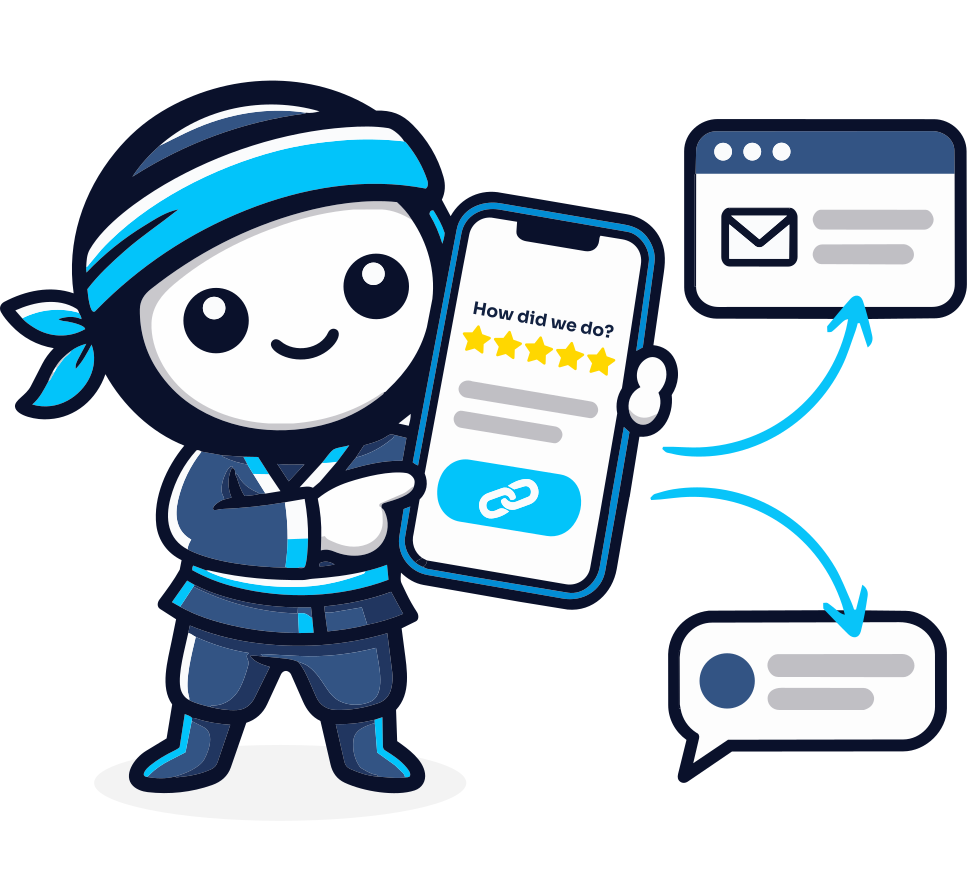
A Google review link generator helps a business create or use a direct link that customers can follow to leave a review on its Google Business Profile. Instead of asking customers to search for the business manually, the link can be shared through email, messaging, receipts or other customer touchpoints. TrustNinja incorporates review links into a wider review-management process for collecting genuine feedback and managing online reputation.

The Problem
Why Businesses Struggle to Generate Consistent Google Reviews
Even customers who are willing to leave a review may never complete the process. They may forget after the service, search for the wrong business profile, or decide that finding the review page takes too much effort. At the same time, staff may ask for reviews inconsistently, leaving the business without a repeatable review process.
Customers forget to leave a review after the interaction is complete.
Staff do not consistently remember to ask customers for feedback.
Customers may struggle to find the correct Google Business Profile.
Manually explaining how to leave a review creates unnecessary friction.
Review requests may be spread across different employees and communication channels.
Important customer feedback can be missed when there is no structured process.
Multi-location businesses may accidentally send customers to the wrong location's review profile.
A direct Google review link reduces these steps by giving customers a clear path from the review request to the relevant review experience.

Why It Matters
Why a Simple Google Review Process Matters
Build Customer Trust
Google reviews provide prospective customers with information from people who have interacted with a business. Google states that reviews appear alongside Business Profiles in Search and Maps and can help a business stand out.
Improve Your Online Reputation
A consistent process for requesting genuine reviews gives customers more opportunities to share their experiences. Businesses can also use review and feedback activity to identify service strengths and issues that require attention.
Support Local Search Visibility
Reviews form part of the information displayed with Google Business Profiles in Search and Maps. Businesses can remind customers to leave reviews by sharing Google's review-request link, provided the request remains genuine and unbiased.
Support Enquiries and Customer Decisions
Potential customers often consider reviews alongside other information when comparing providers. Making the review process easier can increase the amount of useful customer experience information available to prospective customers.
How It Works
How to Use a Google Review Link with TrustNinja
Set Up Your Google Business Profile
Your business needs the relevant Google Business Profile and review destination. Confirm that customers are being directed to the correct business or location.
Get Your Google Review Link
Google currently allows businesses to open their Business Profile, select the reviews area and use the 'Get more reviews' option to copy a shareable review link. TrustNinja can incorporate the appropriate review destination into your wider review workflow.
Add the Link to Customer Touchpoints
Share the review opportunity through channels customers already use, such as thank-you emails, post-service messages, chat interactions, receipts or other follow-up communication.
Invite Customers to Share an Honest Experience
Keep the request neutral. Customers should be free to leave a review that reflects their genuine experience without incentives, pressure or instructions to leave a particular rating.
Monitor Feedback and Manage Your Reputation
Use TrustNinja's wider review-management process to monitor feedback, identify customer-service issues and maintain a more consistent reputation-management workflow.
The TrustNinja Solution
Manage Your Online Reviews with TrustNinja
A review link solves only one part of the problem: getting the customer to the right destination. TrustNinja extends this into a broader review-management system by combining customer feedback, QR-code review touchpoints, email signature surveys and reputation-management processes.
Review Invitations
- What it is
- A structured way to request genuine customer feedback and reviews.
- How it works
- Businesses can incorporate review opportunities into normal customer communications.
- Business outcome
- Creates a more consistent process than relying on staff to remember one-off requests.
Google Review Links
- What it is
- A direct path to the relevant Google review experience.
- How it works
- The link can be shared in digital customer communications.
- Business outcome
- Reduces the effort required for a customer to find the correct review destination.
QR Code Reviews
- What it is
- A scannable review touchpoint for physical or printed environments.
- How it works
- Customers scan a code from receipts, invoices, tables, posters or counters.
- Business outcome
- Extends review collection from digital links into face-to-face customer interactions.
Review Monitoring
- What it is
- An organised process for monitoring customer feedback and review activity.
- How it works
- Businesses track customer sentiment and identify feedback that needs attention.
- Business outcome
- Improves visibility over online reputation.
Customer Feedback
- What it is
- Structured input from customers about their experience.
- How it works
- TrustNinja creates accessible feedback touchpoints across email, links and QR-based interactions.
- Business outcome
- Gives management information that can support service improvement.
Reputation Management
- What it is
- The ongoing process of requesting genuine reviews, monitoring feedback and responding appropriately.
- How it works
- TrustNinja brings these activities into a repeatable system.
- Business outcome
- Helps businesses manage trust and online reputation more consistently.
Email Signature Survey
- What it is
- A feedback opportunity embedded in everyday business emails.
- How it works
- Customers interact with the survey from routine email communication.
- Business outcome
- Creates an always-on feedback touchpoint alongside direct review links.
Social Media Automation
- What it is
- A supporting TrustNinja feature for reducing repetitive social-media activity.
- How it works
- Businesses can use automation to reduce repetitive social-media administration.
- Business outcome
- Supports a more consistent digital presence alongside reputation management.

Who This Is For
Who Can Use a Google Review Link?
Google review links are useful for businesses that communicate directly with customers and depend on online reputation to build trust and generate new business. TrustNinja is particularly relevant where a business wants to standardise how review opportunities are presented across employees, locations and customer communication channels.
Service-Based Businesses
Share review links after appointments, consultations, completed projects or support interactions.
Hospitality, Restaurants and Cafes
Include review links in booking follow-ups, digital receipts, guest messages and post-visit communication.
Accommodation Providers
Use review links in checkout communication and guest follow-ups.
Retail Stores
Share links through digital receipts, order follow-ups and customer-service messages.
Trades and Contractors
Send the relevant review link after installations, repairs, maintenance or completed jobs.
Professional Service Providers
Add review requests to appropriate post-service or milestone communication.
Healthcare Practices
Use neutral review requests where appropriate while respecting applicable privacy, ethical and professional requirements.
Multi-Location Businesses
Use the correct location-specific review destination so customers review the branch they actually visited.
Compare
Google Review Link vs Manual Review Instructions
| Manual Instructions | Direct Review Link / TrustNinja Workflow | |
|---|---|---|
| Customer journey | Customer searches for the business manually | Customer follows a direct link |
| Risk of wrong profile | Higher, especially with similar names or multiple locations | Link can point to the intended review destination |
| Digital sharing | Requires written instructions | Can be pasted into email, messaging or follow-up communication |
| Staff consistency | Depends on each employee explaining the process | A standard link can be used across approved touchpoints |
| QR-code use | Requires separate setup | The same review strategy can be extended to QR-code touchpoints |
| Wider reputation management | Usually separate | Can form part of TrustNinja's feedback and reputation workflow |